
UK & US guide
Fresha and CalMov for mobile hairdressers
Fresha alternative for mobile hairdressers: when CalMov fits
A stylist who overlaps clients during colour processing in a salon needs a different diary from one who drives to each client's home and stays for the whole visit. Fresha is strong at the first. This guide looks at how it copes with the second, the real steps for adding travel time in Fresha, and where CalMov does something different. We checked Fresha's own pages on 5 October 2026 and have not tested a live Fresha account.
Quick answer
Fresha lets you set up as a mobile operator and add blocked time around a service, which is a fixed number of minutes. We couldn't find a Fresha help page that describes working out the drive between clients' homes. CalMov asks for the client's address first and only offers times you can reach. Stay with Fresha for salon work, teams, its marketplace and repeat appointments. Look at CalMov if you work alone at clients' homes and the drive keeps catching you out.
What Fresha does well, and who should stay with it
Fresha is a full system for hair, beauty and wellness businesses. Its scheduling page lists team shifts, blocked time and breaks, extra time on services, appointment notes, a waitlist, automated reminders, client profiles, forms and patch test requirements. It also has a marketplace where new clients can find you, and it takes payments.
Two features matter a lot to hairdressers. Fresha's processing time lets you take another client while a colour develops. And its appointment guide shows how to set a booking to repeat, so a regular keeps her slot every six weeks without asking.
Stay with Fresha if you work in a salon or rent a chair, if you have a team, if new clients find you on the marketplace, or if overlapping clients during processing is how you earn. CalMov is not a salon system and has no marketplace.
Where Fresha falls short for mobile work
Fresha does know that mobile hairdressers exist. When you create a workspace, one of the choices is that you visit your clients as a mobile operator, at their home address. Its locations guide also has an option for a location with no physical address, for mobile or online services.
After that, the help pages we read say little about the journey. We couldn't find a Fresha page that describes a service area by distance, asking for the client's address before times are shown, or working out the drive between one client's home and the next. If Fresha does any of these, it isn't in the guides we found, so ask Fresha before you rely on it.
What Fresha does document is extra time. Blocked time is a fixed number of minutes added to a service, when the client is not present and you can't be booked. It is the same for the client next door and the client 35 minutes away.
How to handle travel time in Fresha today
If you are staying with Fresha, use blocked time for the drive. Don't use processing time. Fresha's guide says processing time leaves you free to take another appointment, which is the opposite of what a drive needs.
Fresha's guide says blocked time isn't visible to clients, so they see the service length and nothing else. It also says extra time set on a service applies to new appointments booked for that service, so check the bookings you already have.
- Go to Catalog, then Service menu, and open the service.
- Under Pricing and duration, choose Add extra time, then Blocked.
- Set the duration from the dropdown. Place it before or after the service, then save.
- Repeat for each service you do at clients' homes. A colour may need a longer pack-up than a dry cut.
- For one unusual journey, open that appointment in the Calendar, select the service, choose Add extra time, set the minutes, then Apply and Save.
- Each time a client books, check her address against the visits either side. The blocked time won't do that for you.
A worked day: three cuts and a colour with a fixed gap
This is an example with made-up clients and drive times. A mobile hairdresser has a 60-minute cut and blow-dry, a two-hour colour, and two more cuts. She has put 20 minutes of blocked time after every service. Packing up is left out to keep the sums simple.
The short hop to the colour client leaves 12 minutes spare. The long drive after it is 15 minutes more than the gap, and the last client is still seven minutes behind. Raising the blocked time to 35 minutes would cover the long drive, and waste 27 minutes on the short one, every day.
| Client | Booked time | Drive from the last visit | What happens |
|---|---|---|---|
| A, cut | 09:30 to 10:30 | From base | Starts on time |
| B, colour | 10:50 to 12:50 | 8 minutes | Arrives 10:38, 12 minutes early |
| C, cut | 13:10 to 14:10 | 35 minutes | Arrives 13:25, 15 minutes late |
| D, cut | 14:30 to 15:30 | 12 minutes | Cut C ends 14:25, arrives 14:37, 7 minutes late |
The same day in CalMov
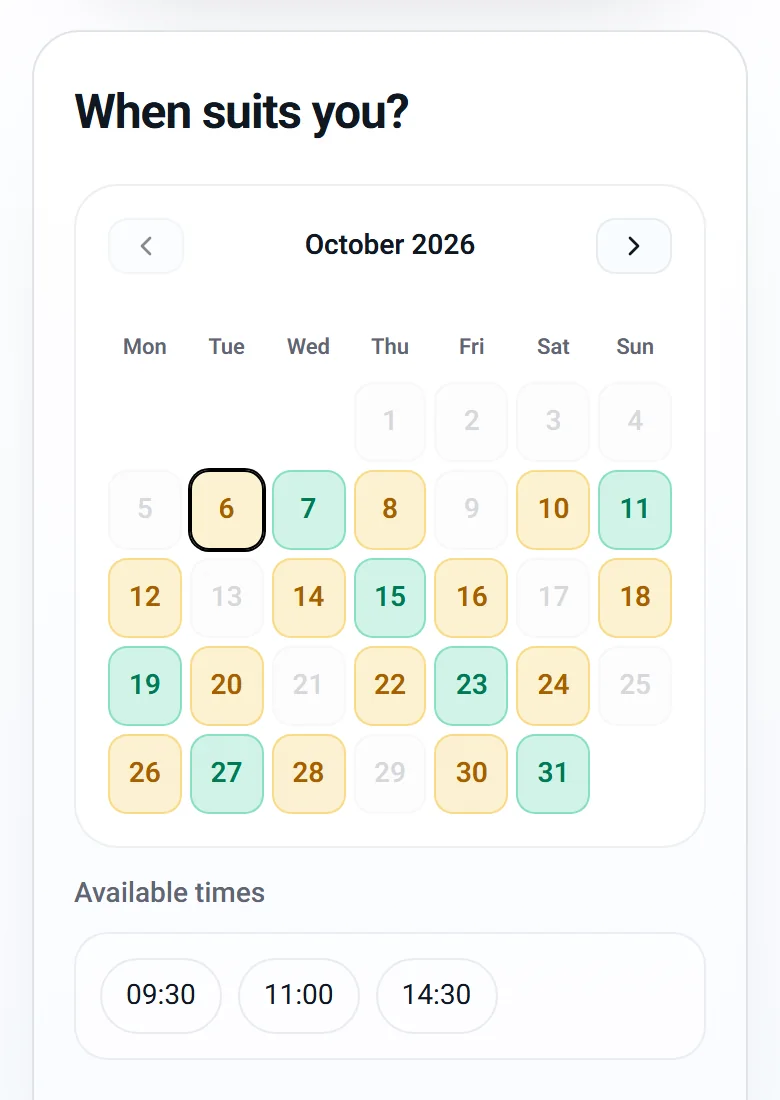
In CalMov the client enters her address first. CalMov then only offers times you can reach, allowing for the journey before and after each visit.
On Pro, the drive times come from the roads, with expected traffic. In the example, client C is not offered 13:10, because the 35-minute drive from the colour doesn't fit. The first start that fits is after 13:25. Client B can be offered a start sooner than 10:50, because the drive from A is eight minutes. You don't confirm anything by hand.
On the free Lite plan, CalMov uses a fixed travel gap that you set. That behaves much like Fresha's blocked time. It suits a hairdresser whose clients all live close together.
Your calendar shows the drive between visits and the drive back to base. Pro can also mark Eco times, the ones that need the least extra driving, so clients can pick a time that keeps your day tight.
What else a mobile hairdresser gets in CalMov
CalMov has a Toolkit of eight tools that you switch on or off. When you pick Hairdresser as your trade, it suggests the usual setup, and you change what you like. Three of the tools matter most for colour work at home.
One honest limit. A colour service in CalMov can be split into stages, such as apply, develop and rinse. But at a client's home you normally stay for the whole visit. If seeing a second client while a colour develops is central to how you work, Fresha documents that clearly, and you should test CalMov's stages against your day before relying on them.
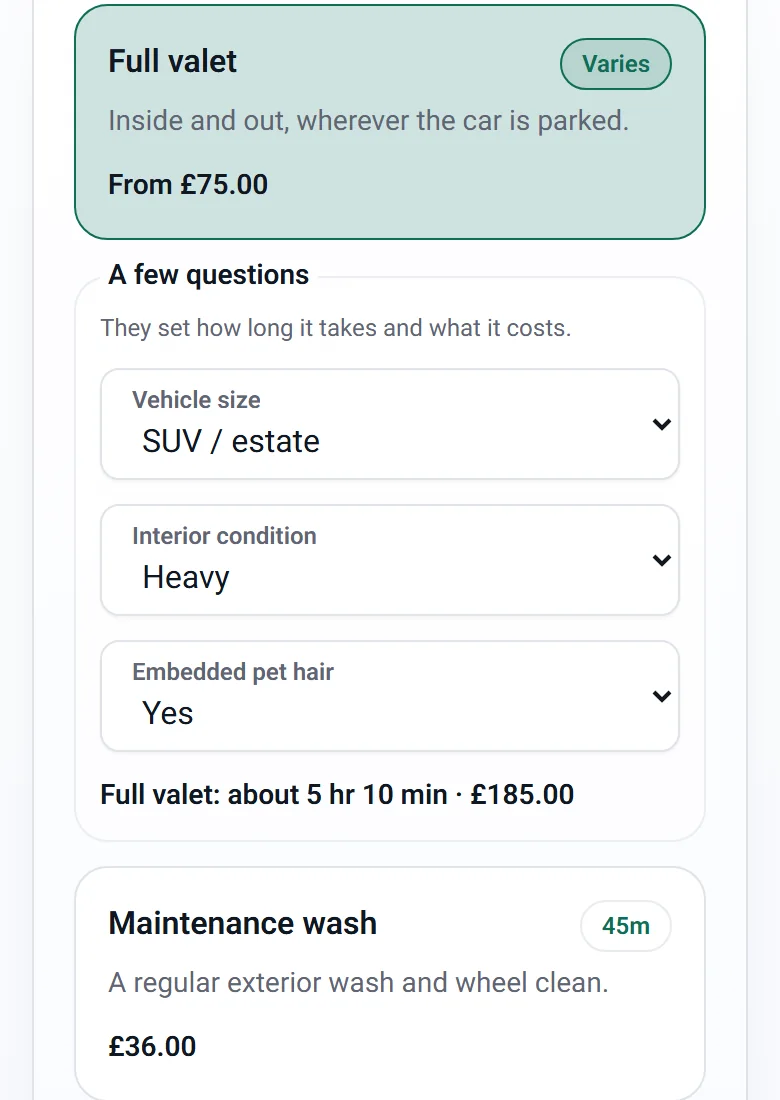
- Checks before booking: say that a colour needs an allergy alert test first, how long before the visit it must be done, such as 48 hours, and how long a pass lasts. The booking page tells the client what is needed and offers to book the patch test first. You record each result as Passed or Failed.
- Time and price questions: ask about hair length, and let each answer add minutes and money. The client sees the time and price change as she answers. Lite allows one such question per service, or two combined.
- Forms after booking: ask questions that can wait in a short form sent with the confirmation. Questions can be marked Private.
- Saved profiles and rebooking reminders: a returning client picks her saved details, and CalMov emails her a link when she is due again.
- Photos (Pro): before and after photos in job mode, with a report you can email to the client.
Cost and plans compared
Fresha's pricing page, viewed from the UK on 5 October 2026, lists an Independent plan for one person at £14.95 a month and a Team plan at £9.95 a month for each bookable team member, both with a 7-day trial. New clients who find you through the Fresha marketplace carry a one-time 20% commission, with a £4 minimum. Returning clients carry no fee. Card processing fees are separate. Prices can differ by country, so check the page where you are.
CalMov Lite is free, with up to two active services and a fixed travel gap. CalMov Pro is £22 a month at the founder price and £29 as standard ($29 and $39 in the US), with a 14-day free trial and no card. Pro adds road-based drive times, travel charges by distance or drive time, unlimited services, add-ons, online payments through Stripe (included on Pro; Lite can add them as an upgrade with a 30p fee per paid booking, in the UK) and the Pro tools. A Team plan, for more than one person, is in pilot.
For one person, Fresha's Independent plan costs less than CalMov Pro. The question is what you are paying for: a salon system with a marketplace, or a diary that checks the drive.
| Question | Fresha | CalMov |
|---|---|---|
| Time between home visits | Fixed blocked time per service | Lite: a fixed gap you set. Pro: road-based drive times |
| Second client during colour processing | Yes, with processing time | Services can have stages. Test them against your day |
| Patch tests | Patch test requirements for services | Checks before booking, with pass and fail recorded |
| Repeat appointments | A repeating series | Rebooking reminder emails with a booking link |
| Finding new clients | Marketplace, with a one-time commission | No marketplace |
| Monthly price for one person | £14.95 on the UK pricing page | Lite free. Pro £22, then £29 |
How to switch from Fresha, or run both
Many hairdressers do both kinds of work: salon days and home-visit days. It is reasonable to keep Fresha for the salon and use CalMov for home visits. If you do, block your home-visit days in Fresha and your salon days in CalMov, so nobody books you in two places.
If you move over fully, do it in small steps and keep Fresha running until your last Fresha booking is done.
- List your future bookings, repeat series, prices and any deposits already taken.
- Export your client list. Fresha's guide says you can download it as Excel or CSV from the Clients list.
- Set up CalMov Lite for free with your two most booked services, your hours and your service area.
- Add the allergy alert test check to your colour services before you share the link.
- Book yourself in from a phone, once from a near address and once from a far one.
- Tell regulars with a repeating slot how they will book from now on. Rebooking reminders can prompt them.
Frequently asked questions
Does Fresha work out travel time between clients' homes?
We couldn't find a Fresha help page that says it does. Fresha's guides describe a mobile operator option at setup and blocked time, which is a fixed number of minutes added to a service. CalMov Pro uses road-based drive times with expected traffic before it offers a time.
Can I see a second client during colour processing in CalMov?
A CalMov service can have stages, such as apply, develop and rinse. We don't describe that here as a way to overlap two clients, because at a client's home you normally stay for the whole visit. If overlapping clients during processing is how you work, Fresha's processing time is designed for it.
Does CalMov handle patch tests?
Yes. With Checks before booking, a colour service can need an allergy alert test a set time before the visit. A client without an in-date pass can't book the colour and is offered the patch test first. You record each result. CalMov records what you tell it, and the decision stays yours.
Is CalMov cheaper than Fresha?
Not always. CalMov Lite is free, but Fresha's Independent plan was £14.95 a month on its UK pricing page when we checked, which is less than CalMov Pro at £22. Fresha also charges a one-time commission on new marketplace clients. Compare the whole cost against what each one saves you.
Can CalMov repeat an appointment every six weeks?
CalMov uses rebooking reminders instead of a repeating series. About a week before a client is due, it emails her a link that opens your booking page on the same service around her due date. She picks a time that fits your day. If a fixed repeating slot matters, Fresha does that.
Can I use CalMov with a team of stylists?
Only in a pilot. Lite and Pro are for one person, and the Team plan is in pilot: ask to join at enquiry@calmov.com. Fresha's Team plan is the better fit for several stylists today.
Sources and further reading
Official provider information reviewed for this comparison. Product features, prices and limits can change, so check every essential requirement on the provider's current pages.
- Fresha scheduling features — Fresha
- Fresha appointment creation, repeats and team assignment — Fresha
- Fresha: add extra time to services and appointments — Fresha
- Fresha Academy: processing and blocked time — Fresha
- Fresha: create a new workspace, including the mobile operator option — Fresha
- Fresha: create business locations — Fresha
- Fresha: export your client list — Fresha
- Fresha pricing — Fresha
How CalMov helps
CalMov combines service duration, working availability and customer location to help mobile businesses offer bookable times that allow for the surrounding journeys.
Explore mobile hairdresser booking with CalMov